
PCManFM: Everything You Need to Know About PCManFM
Managing files efficiently is an important part of using any operating system, and Linux offers several file managers designed for different user needs. One of the most popular lightweight options is pcmanfm. Known for its speed, simplicity, and low resource usage, PCManFM has become a favorite among users of lightweight Linux distributions as well as those who prefer a clean and responsive file management experience.
This guide explains what PCManFM is, its main features, benefits, and why it continues to be widely used.
What Is PCManFM?
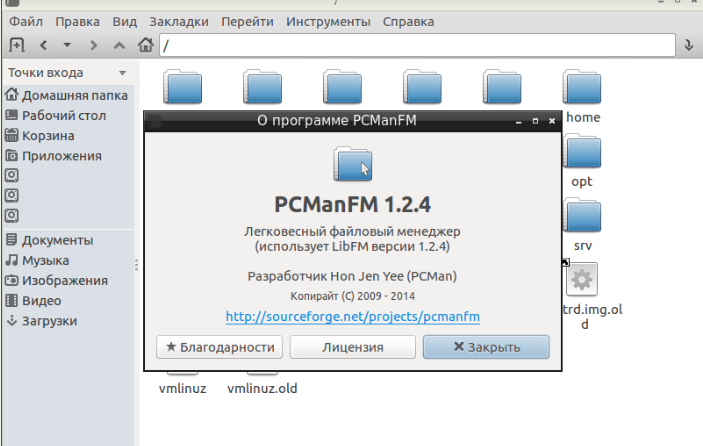
PCManFM (PCMan File Manager) is a free and open-source file manager originally developed for the LXDE desktop environment. Although closely associated with LXDE, it can also be installed and used on many other Linux desktop environments.
Designed to be lightweight without sacrificing functionality, PCManFM provides an efficient way to browse directories, organize files, and manage storage devices.
Why PCManFM Is Popular
Several features have contributed to the long-standing popularity of PCManFM.
Lightweight Performance
PCManFM uses minimal CPU and memory resources, making it ideal for older computers and low-powered systems.
Fast Navigation
The application opens folders quickly and responds smoothly during everyday file operations.
Simple User Interface
Its clean layout allows users to locate files without unnecessary complexity.
Open-Source Development
PCManFM is maintained by the open-source community and is freely available for Linux users.
Key Features of PCManFM
PCManFM includes a variety of useful tools for file management.
Tabbed Browsing
Open multiple directories within a single window using tabs.
Drag-and-Drop Support
Move, copy, and organize files with simple mouse actions.
Bookmark Management
Save frequently used folders for faster access.
Customizable Views
Switch between icon, list, and detailed file views according to your preference.
Benefits of Using PCManFM
Using PCManFM provides several advantages.
Efficient File Organization
Manage documents, photos, videos, and downloads with ease.
Low System Resource Usage
Its lightweight design helps maintain good system performance.
Flexible Desktop Integration
PCManFM works well with various Linux desktop environments.
Stable Everyday Operation
It provides dependable performance for routine file management tasks.
Common Uses for PCManFM
PCManFM supports many everyday computing activities.
Personal File Management
Organize home directories and personal documents.
External Storage Access
Browse USB flash drives, external hard disks, and memory cards.
Project Organization
Create structured folders for development, education, or business.
Linux System Administration
Manage configuration files and directories as needed.
Tips for Using PCManFM
Keep Your Software Updated
Install updates through your Linux package manager.
Learn Keyboard Shortcuts
Shortcuts can significantly improve productivity.
Organize Files Regularly
Maintaining a logical folder structure simplifies future searches.
Back Up Important Data
Create regular backups before making major file changes.
Frequently Asked Questions
What is PCManFM?
PCManFM is a lightweight, open-source file manager for Linux systems.
Is PCManFM free?
Yes. PCManFM is released as free and open-source software.
Which desktop environment uses PCManFM?
PCManFM is the default file manager for the LXDE desktop environment, but it also works with many other Linux desktops.
Can PCManFM manage removable storage?
Yes. It supports USB drives, external hard disks, and other mounted storage devices.
Is PCManFM suitable for older hardware?
Yes. Its low resource consumption makes it an excellent choice for older computers.
Why is PCManFM included throughout the article?
Using pcmanfm naturally throughout the content improves SEO while providing clear, informative, and reader-friendly information.
Conclusion
PCManFM continues to be one of the most reliable lightweight file managers available for Linux users. Its combination of speed, simplicity, tabbed browsing, and efficient resource usage makes it suitable for beginners, advanced users, and anyone seeking a practical file management solution. Whether you’re using a lightweight Linux distribution or simply prefer a fast and uncluttered interface, PCManFM remains an excellent choice for everyday file management.